To configure and use Caller ID:
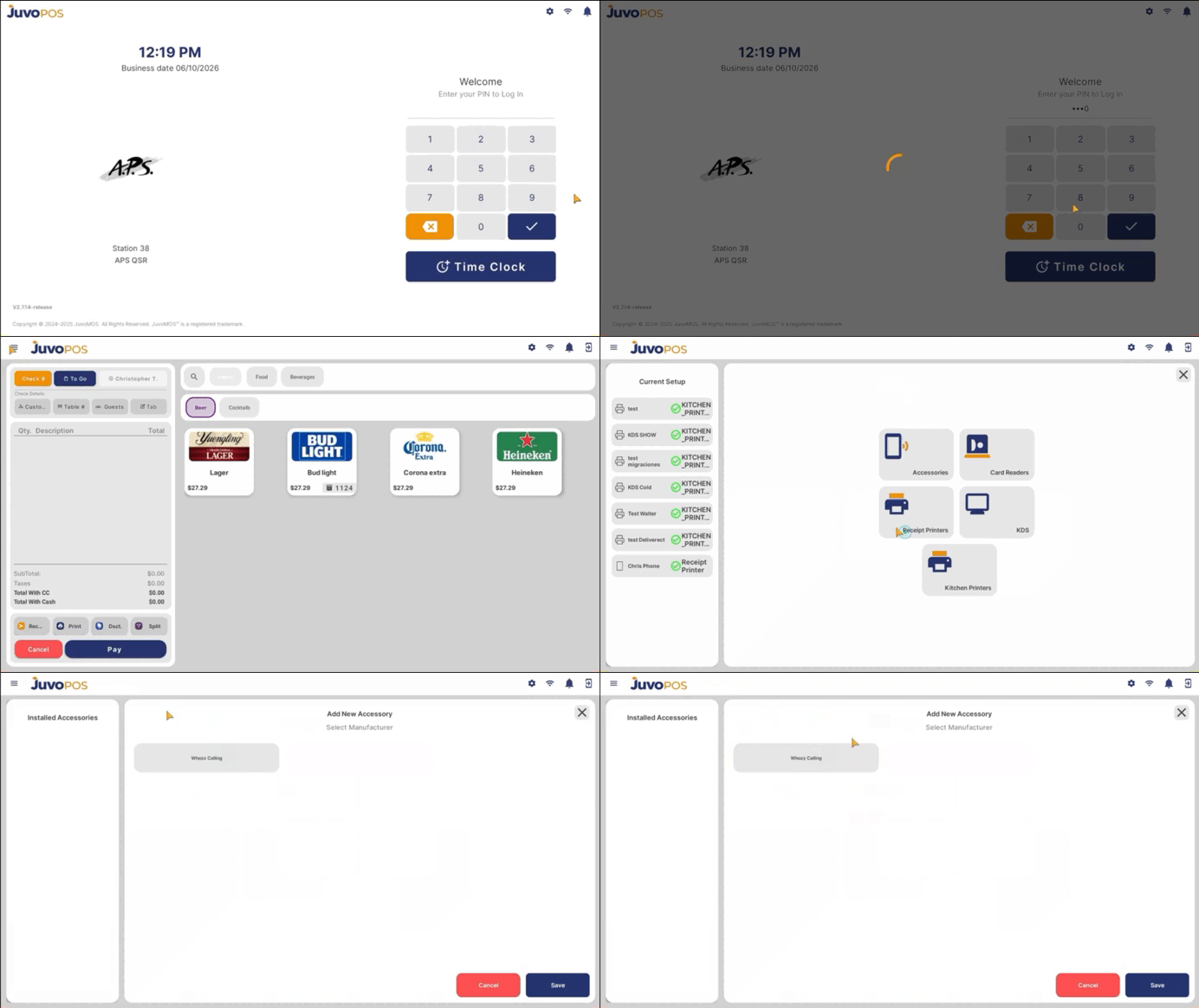
Go to Settings.
Select Accessories.
Select Caller ID.
Select Whozz Calling.
In the Customer section, the available Caller ID lines will be
displayed, for example, Line 8.
Select the appropriate caller and add it.
If the phone number already exists in the system, the corresponding Customer profile will open automatically.
If the phone number does not exist, the system will allow you to begin the Create Customer process to add the new customer.
Leave a Reply